
A software engineer troubleshooting an API integration at a desk with code, notes, and a monitor. AI-generated editorial image.
If your MVP depends on third-party APIs, the real challenge is not just sending a request. It is making the integration reliable enough that your product can keep working when auth changes, payloads drift, or a provider returns an unexpected response. The fastest way to reduce risk is to debug the integration systematically, choose the simplest pattern that fits the product, and verify the whole path with realistic test cases.
This article focuses on a concrete engineering problem: how to troubleshoot API integrations in a way that helps you decide whether the issue is in your code, your data, or the external service. The same approach also helps when you are evaluating whether to call an API directly from the client, route it through your backend, or isolate it behind an integration layer.
Start with the symptom, not the stack trace
API failures often look similar at first: a timeout, a 4xx response, a 5xx response, missing data, or a response that does not match what your UI expects. Before changing code, narrow the problem down to one of three areas:
- Request formation: headers, query parameters, request body, auth token, and HTTP method.
- Provider behavior: rate limits, validation rules, environment differences, or transient failures.
- Your own handling: parsing, mapping, retries, error translation, or state management.
A useful habit is to reproduce the exact request outside your app first. If the same request fails in an isolated tool or script, you know the issue is not only in your UI code. If it succeeds there, the bug is usually in your application flow, serialization, or configuration.
Choose the integration shape that matches the product
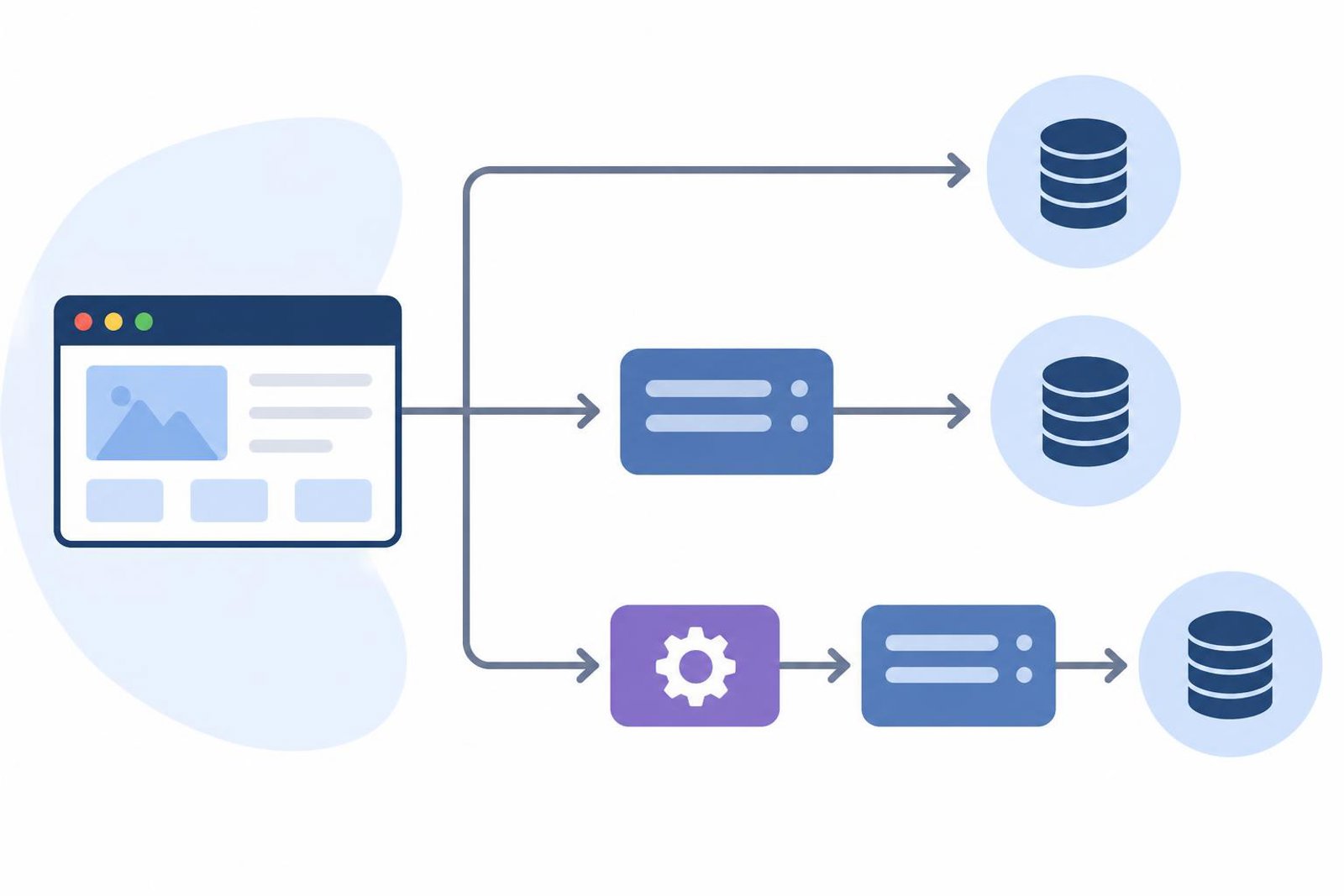
There is no single best pattern for every MVP. The right choice depends on security, latency, maintainability, and how much control you need over the external contract.
Direct client-side calls
This can be acceptable for public, low-risk APIs that do not require secret credentials. The main advantage is simplicity. The main drawbacks are limited control over retries, less consistent error handling, and a stronger risk of exposing sensitive logic in the browser or mobile client.
Backend-mediated calls
For many startup products, a backend route is the safer default. It keeps credentials off the client, gives you a stable place to normalize responses, and lets you log, retry, cache, or transform requests consistently. It also makes later changes easier if the provider’s API evolves.
Dedicated integration layer
When the external service is central to the product, a small adapter layer can pay off. This layer can translate provider-specific shapes into your own domain model, which reduces coupling. The trade-off is extra code to maintain, so it should be justified by real complexity rather than used everywhere by default.
Practical rule: if the third-party API is likely to change, hide its response shape behind your own internal interface as early as is reasonable.
Debug the request in layers
A reliable workflow is to move from the outside inward:
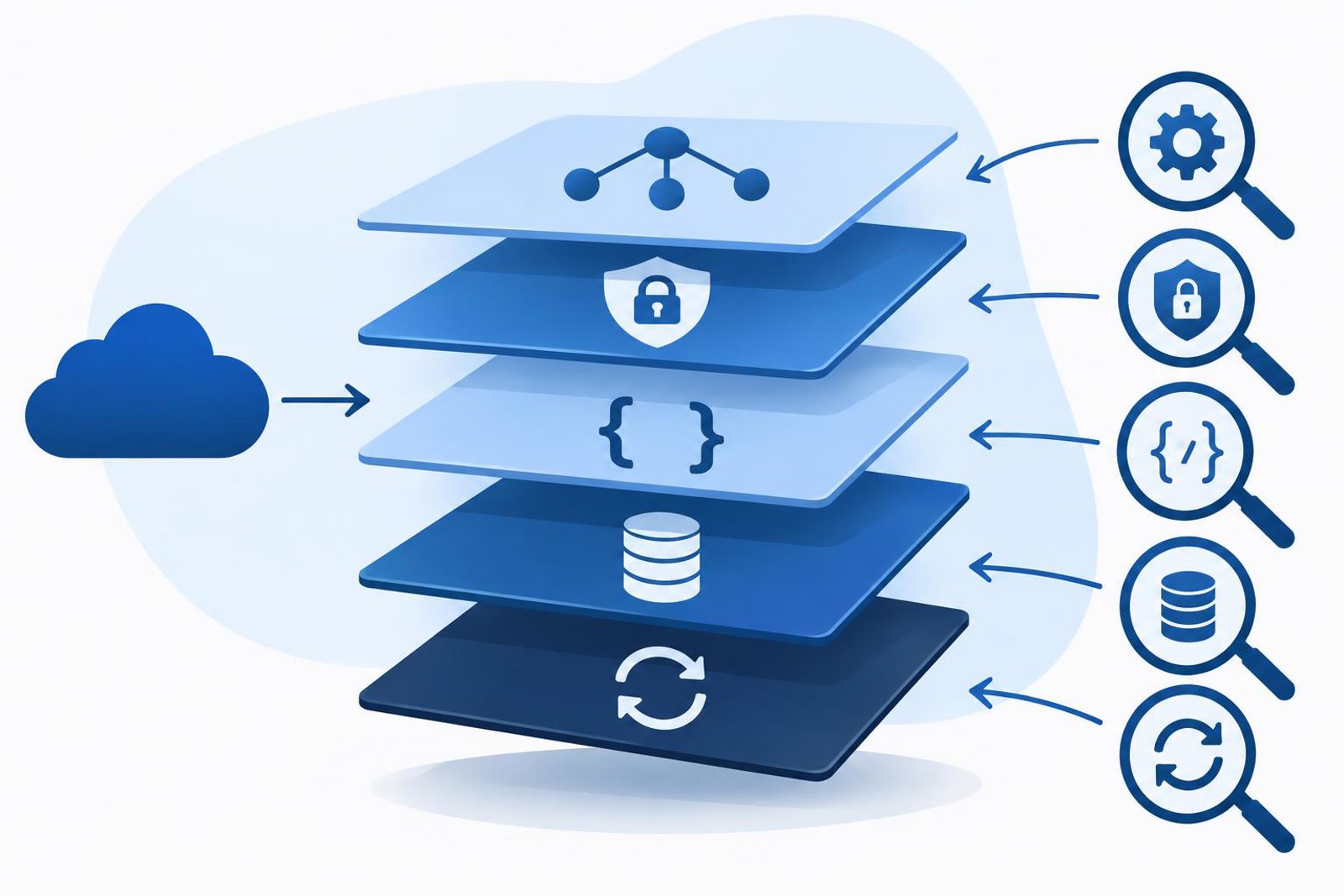
- Confirm connectivity: verify the endpoint, environment, and basic network access.
- Inspect auth: check whether the token, key, or session is valid and sent in the expected format.
- Compare payloads: make sure your body and headers match the provider’s expectations exactly.
- Check response parsing: validate that your code handles both success and failure formats.
- Review retries and timeouts: ensure you are not retrying too aggressively or timing out too early.
One common mistake is to assume the provider always returns JSON in the same shape. In practice, error responses may differ from success responses. Your handler should be prepared for missing fields, empty arrays, or different status codes.
Another common mistake is to treat every failure as retryable. Some failures are permanent, such as invalid input or unauthorized access. Retrying those only adds noise and can make debugging harder.
Use code that makes failures visible
Minimal, readable code often reveals more than a framework-heavy abstraction. For example, a small wrapper can separate transport errors from application errors:
async function fetchJson(url, options) {
  const response = await fetch(url, options);

  if (!response.ok) {
    const text = await response.text();
    throw new Error(`Request failed: ${response.status} ${text}`);
  }

  return response.json();
}
This example is intentionally simple. In a real application, you may want to add structured error objects, request IDs, and provider-specific normalization. The point is to make the failure obvious before you add abstraction.
If you use an integration layer, keep the boundary clear. One part of the code should know about provider-specific details, and the rest of your app should talk in your own terms. That separation makes testing easier because you can replace the provider with a stub or mock without changing the whole product flow.
Test the integration the way the product will use it
Testing an API integration is not just about a happy-path response. You need to verify the full behavior that users will feel.
- Success case: the API returns the expected data and your UI or backend uses it correctly.
- Validation failure: invalid input is rejected cleanly and the user sees a useful message.
- Timeout or network failure: your app degrades gracefully instead of freezing or crashing.
- Unexpected shape: missing or extra fields do not break the app.
- Authorization failure: your system handles expired or missing credentials predictably.
Where possible, keep a small set of fixtures representing the most important provider responses. This helps you detect regressions when someone changes request construction or response mapping.
For higher confidence, add an end-to-end check that runs through the same route your product uses in production. That does not mean testing the provider’s internal behavior. It means verifying that your own code can send, receive, and handle the integration correctly.
Common trade-offs to evaluate before launch
Every integration decision includes trade-offs. A quick checklist can help you decide what matters most for the current release:
- Speed vs control: direct calls are faster to build, but backend mediation gives more control.
- Simplicity vs resilience: fewer layers reduce complexity, but wrappers can make failures easier to manage.
- Flexibility vs coupling: using the provider’s raw response is easy now, but a domain model is often easier to maintain later.
- Observability vs overhead: logs and metrics help debugging, but only if they stay focused and readable.
For an MVP, the best choice is often the one that reduces unknowns rather than the one that seems most elegant. If an integration is business-critical, extra structure is often justified. If it is peripheral, keep it lightweight.
A simple verification checklist
Before you call the integration done, confirm the following:
- The request is reproducible outside the app.
- Credentials are stored and transmitted safely.
- Success and error responses are both handled.
- Timeouts and retries match the importance of the operation.
- The integration has at least one test for the path your product depends on most.
- The rest of the app does not depend directly on provider-specific response shapes unless that is a deliberate choice.
If you can check these items, you have a much better chance of shipping an API integration that survives real usage instead of only passing a happy-path demo.
For more practical engineering articles on building and maintaining software systems, see the tech blog, and for background on the broader engineering perspective behind this work, visit Urey Mutuale.
Next step: pick one API in your current product, trace its request and response path end to end, and add one test that covers a failure case you have not validated yet.